
Setting up Apple HomeKit in an Australian home, the 2026 guide
HomeKit is the most private, polished smart home platform in Australia. Here's how to set it up properly, which products work, and what's changed with Matter integration.
Tools and materials
Tools
- iPhone or iPad with Apple ID
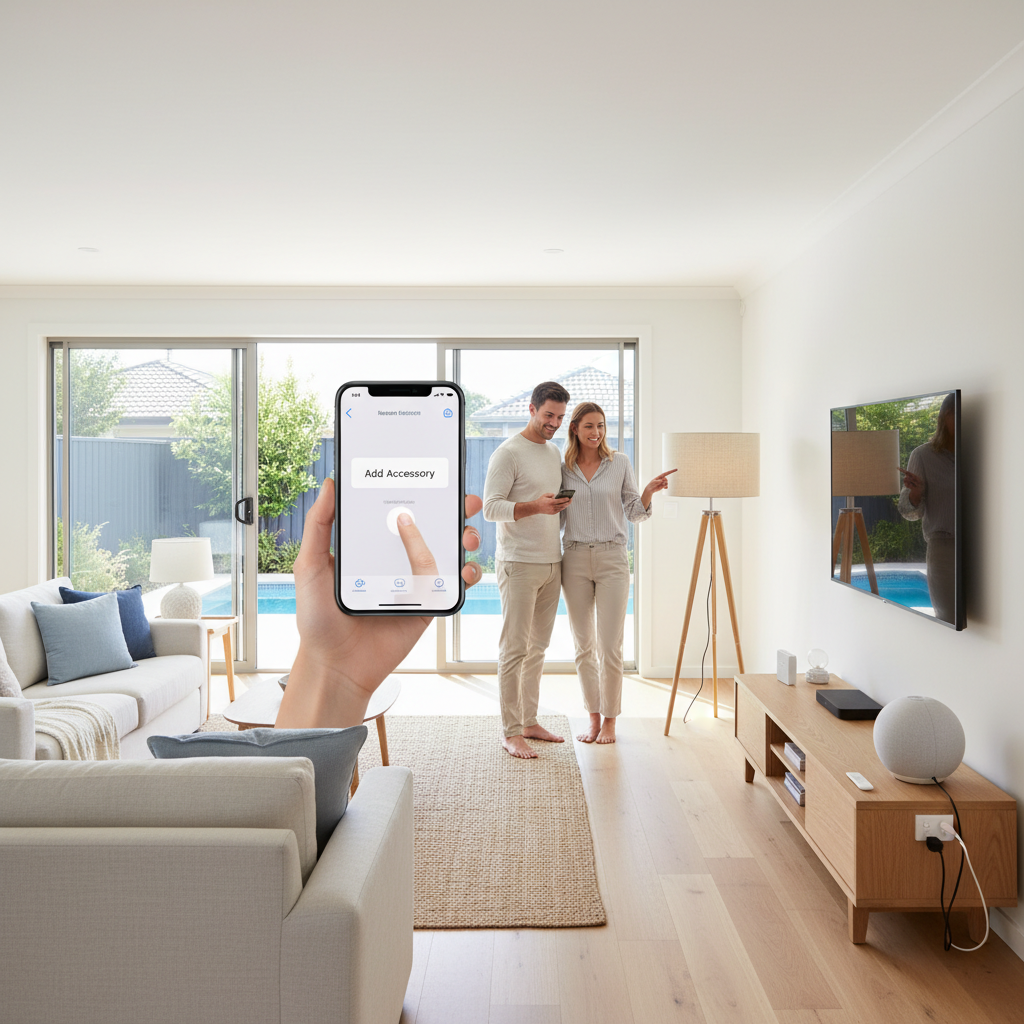
Apple HomeKit is the most private, most polished smart-home platform sold in Australia. The Home app comes pre-installed on every iPhone and iPad. Setup is genuinely friendly compared to most competitors.
This is plug-and-play smart home work in every Australian state. No licensed installation needed for any HomeKit device, they all use existing power points or batteries.
The 5-step setup
- Open the Home app on your iPhone or iPad
- Tap the + button in the top-right
- Add Accessory and scan the HomeKit code on the device packaging or on the device itself
- Follow the prompts to assign the device to a room and a name
- Test it with a voice command or by tapping the tile in the Home app
That’s it for a single device. Repeat for each.
What you need
| Item | Required? | Cost |
|---|---|---|
| iPhone or iPad (iOS 16+) | Yes | already have |
| Apple ID | Yes | free |
| HomeKit-compatible device | Yes | varies |
| Home Hub (HomePod mini or Apple TV) | For remote control + automation | $150 to $300 |
| Wi-Fi router | Yes | already have |
A HomePod mini ($149 from 2026 pricing) is the cheapest way to add a Home Hub. Apple TV 4K (from $279) is the more capable option if you want video and game playback.
The Home Hub question
Without a Home Hub:
- Local control only (on the same Wi-Fi network)
- No remote access (can’t turn off lights from work)
- No automations (no “if motion detected, turn on light”)
- Manual control only
With a Home Hub:
- Remote access from anywhere
- Automation triggers (time, sensors, location, motion)
- Multi-user permissions
- Receive HomeKit Secure Video camera notifications
- ‘Hey Siri’ from speakers
For more than 2 or 3 connected devices, a Home Hub is essential.
HomeKit-friendly device categories in 2026
| Category | Aussie HomeKit options |
|---|---|
| Smart bulbs | Philips Hue, Nanoleaf, LIFX, Sengled, Eve |
| Smart plugs | Eve Energy, Meross, Nanoleaf, TP-Link Kasa |
| Smart switches | Lutron Caséta (premium), Eve Light Switch, Aqara (often via hub) |
| Locks | Aqara, Yale Linus, Schlage Encode |
| Cameras | Logitech Circle View, Eve Cam, Aqara, Arlo (with Apple HomeKit Secure Video subscription via iCloud+) |
| Doorbells | Aqara G4, Logitech Circle View Doorbell |
| Sensors | Aqara (motion, contact, water, vibration), Eve Motion, Eve Door & Window |
| Thermostats | Sensibo (for split-system aircon), tado° |
| Air quality | Eve Room, Awair Element |
| Shades and blinds | Aqara, Eve MotionBlinds, Soma |
For dedicated HomeKit households, the Aqara ecosystem is the best value, broad range of sensors and switches at competitive prices, all HomeKit certified.
Building your first automation
The Home app makes basic automations easy:
- Tap Automation at the bottom
- Tap + to create one
- Choose a trigger: time, location (when you arrive home), an accessory (a sensor), a person, a sunrise/sunset
- Choose accessories to control
- Tap Done
Common useful automations:
- Goodnight scene: tap the Home button on a HomePod beside the bed, all lights off, locks lock, thermostat to night
- Welcome home: when your iPhone enters the home location, hallway lights on, gentle music on a HomePod
- Bedtime monitor: at 9pm, dim all lights to 30%, switch warm-white
- Cooled by morning: at 6am, turn on the bedroom heater (winter)
Start with one automation. Add more once you’re comfortable.
Matter (2022+) changes everything
If you buy a Matter-certified device today, it works with HomeKit, Google Home, AND Amazon Alexa simultaneously. Buy once, use anywhere.
What this means for new Aussie smart home setups:
- Buy Matter-certified products when possible (look for the Matter logo on packaging)
- Mixed-phone households (one iPhone, one Android) are no longer locked out of shared smart home
- Future-proof: switching from iPhone to Android no longer means buying new smart home gear
Matter is still ramping up; not every category has Matter products yet. HomeKit-only is still required for some advanced features (e.g. HomeKit Secure Video, locks with end-to-end encryption).
Common HomeKit setup problems
- Code won’t scan: try entering manually, the code is also printed as 8 digits on the packaging
- Device shows but stays “Not Responding”: usually a Wi-Fi range issue. Move closer to the router, or add a Wi-Fi mesh extender
- Home Hub keeps losing connection: HomePod minis sometimes need a reboot. Apple TV is more stable
- Remote control isn’t working: confirm a Home Hub is set up. Settings → Home → check “Home Hub” status
Where to start
For someone new to HomeKit:
- Smart plug ($30 to $60), control any appliance via Home app or Siri
- Two smart bulbs ($30 to $60 each), one for the bedroom, one for the lounge
- HomePod mini ($149) as the Home Hub and Siri speaker
That’s $250 to $400 for a starter setup that immediately provides “off all” voice commands, lights-on-arrival automation, and remote control. Add sensors and more devices over time.
Frequently asked questions
Do I need an Apple TV or HomePod for HomeKit?
For basic setup, no. For remote access (control from outside the home), automation, and 'Hey Siri' from anywhere, yes, you need a HomePod, HomePod mini, or Apple TV (4K, recent generation) as a Home Hub. Apple TV 4K from 2017+ works.
Is HomeKit private?
Yes, the most private smart-home platform. End-to-end encrypted to your devices. Apple doesn't see your home automation data. Cloud storage of HomeKit camera recordings (HomeKit Secure Video) is end-to-end encrypted; even Apple can't view it.
HomeKit vs Google Home vs Amazon Alexa?
HomeKit: most private, best UI, slightly smaller device ecosystem, suits Apple households. Google Home: best Matter support, broadest device ecosystem, more open. Amazon Alexa: largest device count, best voice control, ad-heavy. Pick by your phone first; mixed households use Matter to bridge.
What's Matter, and how does it affect HomeKit?
Matter is the new cross-platform smart-home standard (2022+). HomeKit, Google Home, and Amazon Alexa all support Matter. A Matter-certified device can work with all three at once, no longer locked to one ecosystem. Big change for mixed-platform households.