
Smart locks in Australia 2026, buyer's guide for front doors
Smart locks let you unlock with your phone, fingerprint, or PIN. Here's what to look for, which brands work in Aussie deadbolts, and what they cost installed in 2026.
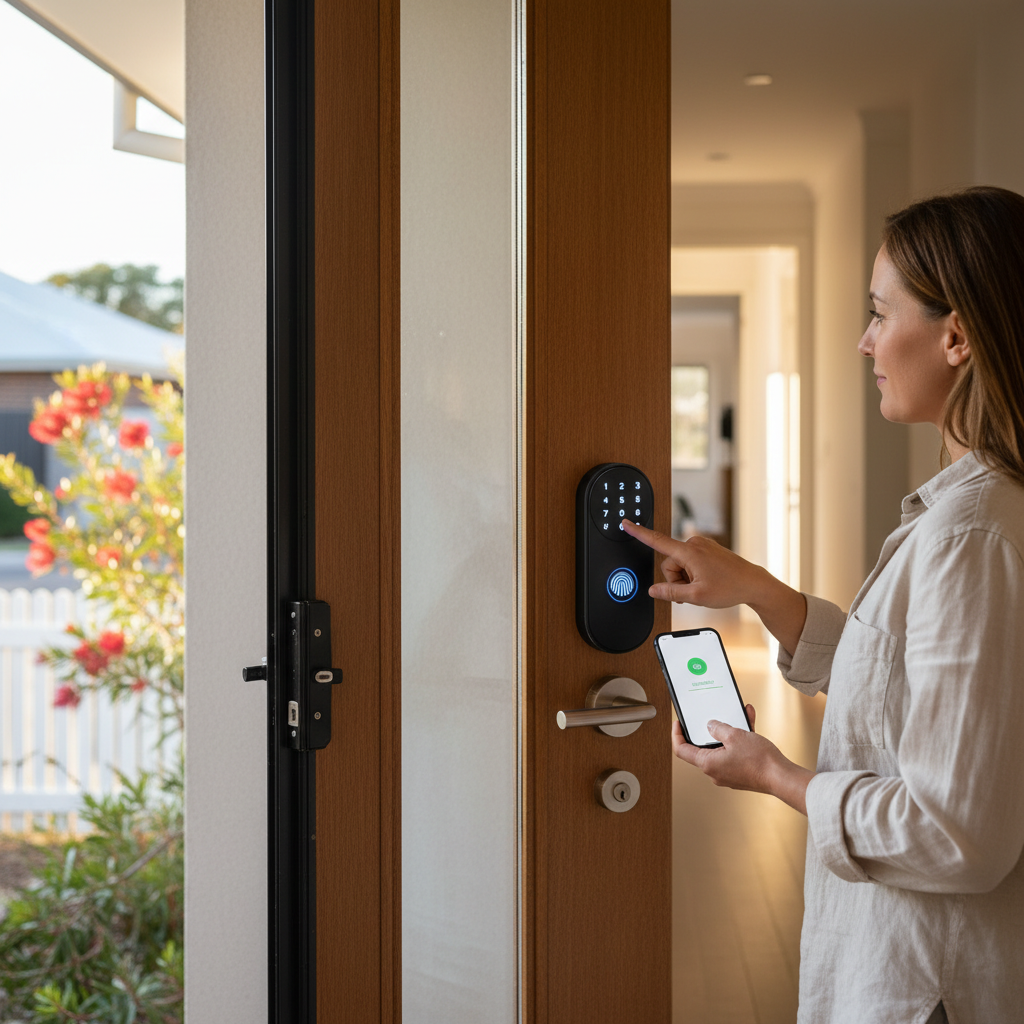
Smart locks let you unlock your house with a phone, fingerprint, or PIN. They also let you create temporary codes for guests, get notifications when someone arrives, and integrate with the rest of your smart home (lights on when you unlock, etc.).
The Aussie market has fewer options than the US but the ones available are quality. Here’s what to consider.
The two install styles
- Retrofit (replaces only the interior thumb-turn): easier install, keeps the existing cylinder and exterior look. Lock works from inside via motor. Examples: Yale Linus, Aqara A100 Zigbee, Tedee
- Full deadbolt replacement: removes the entire lock body and replaces with a smart unit. Slightly more complex install but adds keypad to the exterior. Examples: Schlage Encode, Lockwood SmartCore, August Wi-Fi
Top smart lock options in Australia 2026
Yale Linus L2
- Style: retrofit, replaces thumb-turn
- Connectivity: Bluetooth + Wi-Fi (with the Connect Bridge sold separately)
- Compatibility: HomeKit, Google Home, Amazon Alexa, Matter (via Connect Wi-Fi Bridge)
- Auto-lock: yes, configurable timer
- Cost: $350 to $450, plus $80 to $150 for the Connect Bridge if you want remote access
- Best for: keeps existing deadbolt look, broad ecosystem support
Schlage Encode WiFi Deadbolt
- Style: full deadbolt replacement with backlit keypad
- Connectivity: built-in Wi-Fi
- Compatibility: HomeKit (via specific models), Google Home, Amazon Alexa
- Auto-lock: yes
- Cost: $450 to $650
- Best for: keypad access in addition to phone (handy for kids and guests)
Aqara A100 Zigbee
- Style: retrofit or full replacement (different models)
- Connectivity: Zigbee, needs Aqara hub
- Compatibility: HomeKit, Google Home, Amazon Alexa (via Aqara hub)
- Auto-lock: yes
- Cost: $250 to $350
- Best for: existing Aqara ecosystem users, budget HomeKit setup
Lockwood SmartCore
- Style: full deadbolt replacement
- Connectivity: built-in Wi-Fi (with the SmartCore Wi-Fi adaptor)
- Compatibility: Google Home, Amazon Alexa
- Australian brand, mortise compatibility is excellent
- Cost: $400 to $700 retrofit, $700 to $1,000 with installation
- Best for: Australian-made and serviced, premium look
August Wi-Fi (4th gen)
- Style: retrofit, replaces thumb-turn only
- Connectivity: built-in Wi-Fi (no separate bridge needed)
- Compatibility: HomeKit, Google Home, Amazon Alexa
- Auto-lock and auto-unlock: yes
- Cost: $400 to $550
- Best for: simple retrofit, no additional hardware needed
Tedee Smart Lock
- Style: retrofit
- Connectivity: Bluetooth + Wi-Fi (with separate Tedee Bridge)
- Compatibility: HomeKit, Google Home, Amazon Alexa
- Cost: $300 to $400 plus $100 to $150 bridge
- Best for: minimalist look, European design quality
What to look for
- Mortise compatibility with your door: most retrofits work with standard Aussie mortise deadbolts. Measure the cylinder size and confirm with the supplier before buying.
- Battery life: 6 to 12 months on standard AA batteries is typical. Some last 2+ years.
- Auto-lock: lock the door automatically after X minutes. Useful for households where kids forget.
- Auto-unlock (geofencing): unlock as you arrive home. Convenient but security trade-off.
- Multiple users: most quality smart locks support 20 to 100 user codes/profiles.
- Temporary codes: send a 7-day code to a tradie or cleaner, expires automatically.
- Mechanical override: physical key for when the battery dies or Wi-Fi is out.
- Smart home integration: HomeKit, Google Home, Alexa, Matter. Pick based on your ecosystem.
- Notifications: app alerts when someone unlocks or fails to unlock.
- Manufacturer’s encryption claims: AES-128 minimum, AES-256 preferred.
What about Yale Conexis or other older smart locks?
Older Yale models (Keyless Connected, Conexis L1) are still sold but lack Matter support and have limited app updates. For new purchases in 2026, go with current-generation hardware (Linus L2, Schlage Encode, etc.).
Install difficulty
Most smart locks ship with detailed install guides. A confident DIYer fits a retrofit lock in 30 to 60 minutes, a full replacement in 60 to 90 minutes. Tools: Phillips screwdriver, sometimes a small spanner. No power tools.
When to call a locksmith ($150 to $300):
- Your door has an unusual deadbolt that doesn’t match smart-lock spec
- You want a full custom installation (recessed reader, multi-point lock)
- You don’t trust yourself with the door’s existing security
- Apartment doors with body corporate restrictions
Insurance considerations
Some Australian home insurers require:
- Deadbolts on all external doors
- The deadbolt to be locked when unoccupied
- Photographic proof of lock type for high-value contents
Smart locks usually qualify as deadbolts under insurance definitions. Check your policy before relying on smart auto-lock to satisfy an “always locked” clause.
Bottom-line picks
- Best HomeKit user: Yale Linus L2 with Connect Wi-Fi Bridge
- Best with keypad: Schlage Encode Wi-Fi
- Best budget: Aqara A100 (if you have or want an Aqara hub)
- Best Australian brand: Lockwood SmartCore
- Best simple Wi-Fi (no bridge): August Wi-Fi 4th gen
A quality smart lock installed by a confident DIYer is a $400 to $600 upgrade that genuinely changes daily life. The “never lost the keys” moment alone justifies it.
Frequently asked questions
Do smart locks work on Australian doors?
Yes, mostly. Most smart locks fit standard mortise deadbolts found in Aussie front doors. Some smart locks (Yale, Schlage Encode, Aqara) come in 'Australian' versions with the cylinder orientation matching local hardware. Always check compatibility with your specific door before buying.
How much does a smart lock cost in Australia?
$150 to $300 for budget Wi-Fi smart locks (Aqara, Tedee). $300 to $500 for mid-range with HomeKit/Google/Alexa support (Yale Linus, Schlage Encode). $500 to $900 for premium with auto-lock and high security (Lockwood SmartCore, August Wi-Fi). Professional install adds $80 to $200.
Are smart locks safe?
Yes when installed properly. They use AES-128 or AES-256 encryption. Risk is the same as any electronic device, occasional firmware updates needed. Mechanical override (a physical key) is still standard on all quality smart locks for emergencies.
Can a smart lock work if the Wi-Fi is out?
Most yes, locally. The smart lock has its own Bluetooth and physical key. Wi-Fi just enables remote access from outside the home. With Wi-Fi out, you can still unlock with your phone via Bluetooth (in range) or with the physical key.